
Indexing Kite AI with Goldsky
Index Kite AI with Goldsky for high-performance blockchain data infrastructure
Overview
Goldsky provides high-performance blockchain data infrastructure for Kite AI, making it easy to extract, transform, and serve on-chain data for both production apps and analytics workloads.
For Kite AI builders, Goldsky is the recommended indexing layer for:
- dApps and dashboards
- Agent analytics and observability
- Protocol monitoring and data pipelines
- Real-time and historical on-chain queries
Goldsky supports two primary data access models:
- Subgraphs – High-performance, GraphQL-based indexing
- Mirror – Real-time replication pipelines into databases and warehouses
Documentation Index
Before diving deeper, you can fetch Goldsky's full documentation index here:
https://docs.goldsky.com/chains/kite-ai#indexing-kite-ai-with-goldsky
This index lists all available pages, guides, and references, and is useful for discovering advanced features before implementing a specific flow.
Getting Started
To index Kite AI with Goldsky, you'll need to:
- Create a Goldsky account
- Install the Goldsky CLI
- Authenticate using an API key
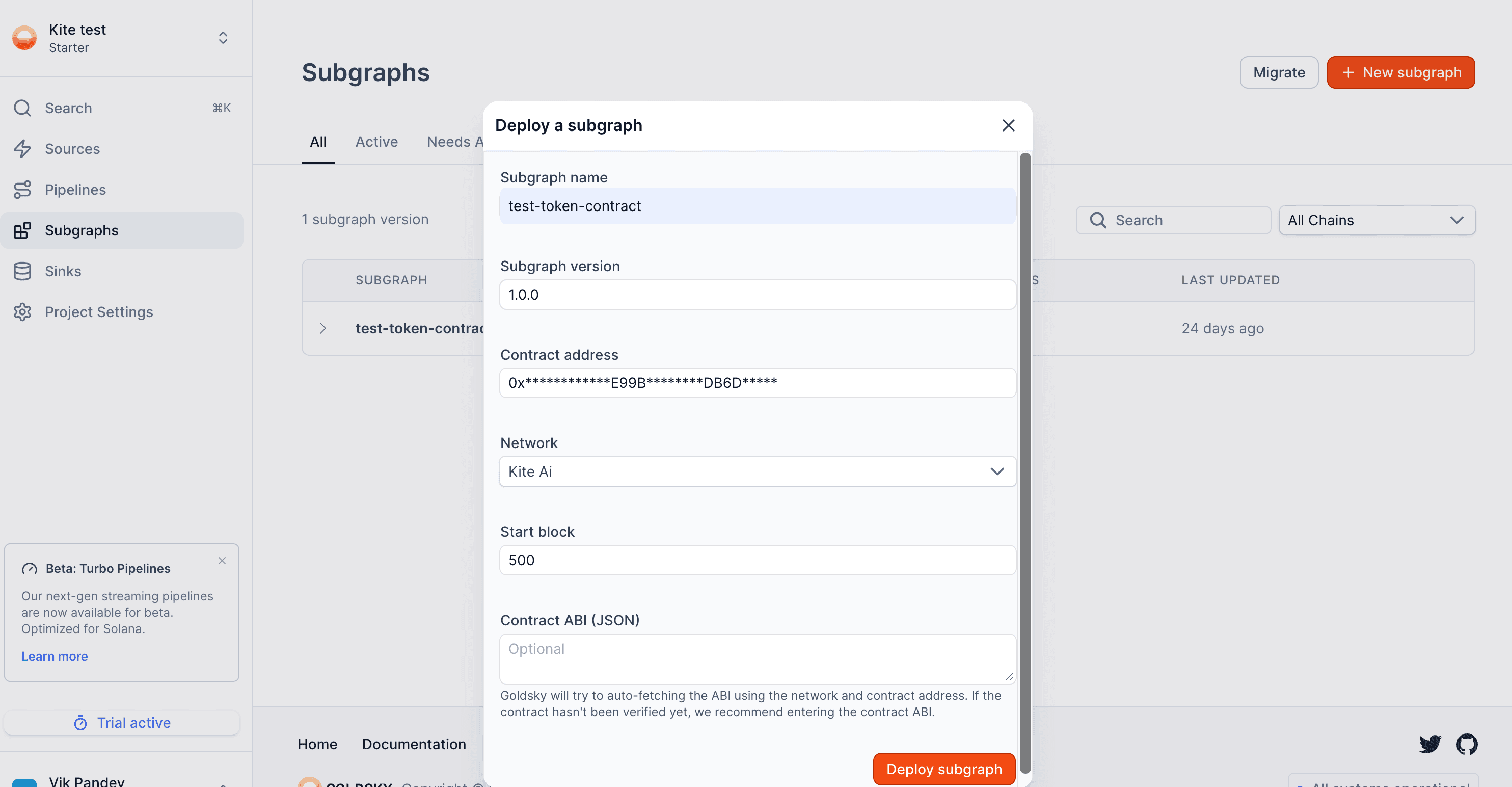
Note - Using Goldsky from the UI is as simple as clicking "+ New subgraph" to get started:
Install the Goldsky CLI & Log In
For macOS/Linux:
curl https://goldsky.com | shFor Windows:
npm install -g @goldskycom/cliCreate an API Key
- Go to Project Settings in the Goldsky dashboard
- Generate a new API key for your project
Authenticate via CLI
goldsky loginVerify Installation
goldskyIndexing Kite AI with Subgraphs
Subgraphs are the most common way to index Kite AI contracts and events.
Goldsky supports two deployment paths, depending on how much control you need.
Option 1: Deploy a Custom Subgraph (Full Control)
Use this option if you want:
- Custom schemas
- Derived entities
- Complex mappings or transformations
Requirements:
subgraph.yamlschema.graphql- Mapping files (AssemblyScript)
Deploy command:
goldsky subgraph deploy <name>/<version> --path .Option 2: Instant Subgraphs (Quick Start)
Use instant subgraphs if you want:
- Fast setup
- Minimal configuration
- Event-level indexing from an ABI
You only need:
- Contract address
- ABI file
Deploy command:
goldsky subgraph deploy <name>/<version> \
  --from-abi <ABI_PATH> \
  --network <CHAIN_SLUG>
Goldsky automatically generates:
subgraph.yaml- Schema
- Event mappings
Kite AI Network Configuration
Use the following chain slugs when deploying subgraphs for Kite AI:
| Network | Chain Slug |
|---|---|
| Kite AI Mainnet | kite-ai |
| Kite AI Testnet | kite-ai-testnet |
These slugs are required for:
- Subgraph deployments
- Instant subgraphs
- Mirror pipelines
Common Kite AI Use Cases
Builders commonly use Goldsky on Kite AI for:
- Agent payment flows & settlement tracking
- ERC-20 / native token analytics
- Protocol-level metrics (TPS, volume, usage)
- Explorer backends & dashboards
- Agent reputation, activity, and lifecycle analytics
Goldsky pairs especially well with agent-native apps that require:
- Low-latency reads
- Deterministic historical queries
- Scalable analytics without running infra
Getting Support
If you run into issues or need help with advanced setups:
Goldsky Support: support@goldsky.com