
Funding Your Wallet
How to add funds to your Kite Passport wallet and check your balance.
To use Kite Passport, you need USDC.e on Kite chain in your Passport wallet. Once your wallet is funded, your agent can pay for services on your behalf within the limits you approve.
Adding Funds
All funding is managed through the Passport dashboard.
Buy USDC with Card
The simplest path if you are starting from scratch. Purchase USDC on Base using a card.
Steps:
- Open the Passport dashboard and select the Add funds tab.
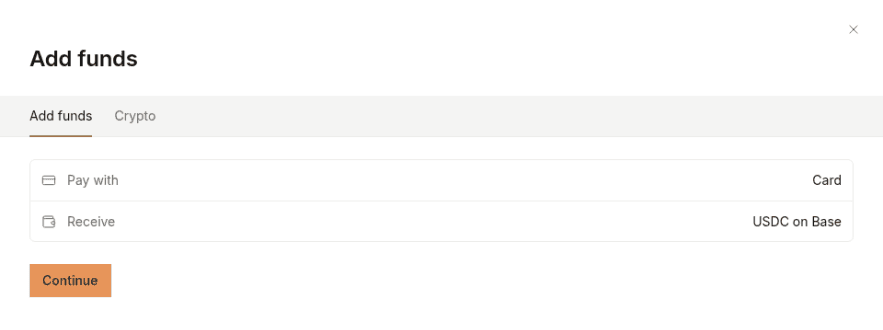
- Click Continue.
- Enter the amount you want to purchase and select your payment method.
- Follow the steps to complete the purchase.
- Once the purchase settles, your balance will update on the Passport dashboard.
Direct Deposit
If you already hold stablecoins on another chain, you can deposit them directly to your Passport wallet.
Steps:
- Open the Crypto tab to see your Passport deposit addresses: Base USDC, Polygon USDC, Avalanche USDC, Tempo USDC, Solana USDC or PYUSD, Robinhood USDG, Arc USDC, Kite USDC (this token is USDC.e on Kite chain).

Only the stablecoin shown, on that chain.
- Click the copy button next to the address for the chain your funds are on.

- Send that chain's stablecoin to the address from your own wallet.
- Your balance will update automatically on the Passport dashboard.
Kite Bridge (Optional)
You can also use Kite Bridge to move USDC onto Kite chain.
Steps:
- Go to Kite Bridge and connect the wallet that holds your funds.
- Select the source chain and token.
- Select Kite as the destination chain.
- Paste your Passport wallet address as the receiver.
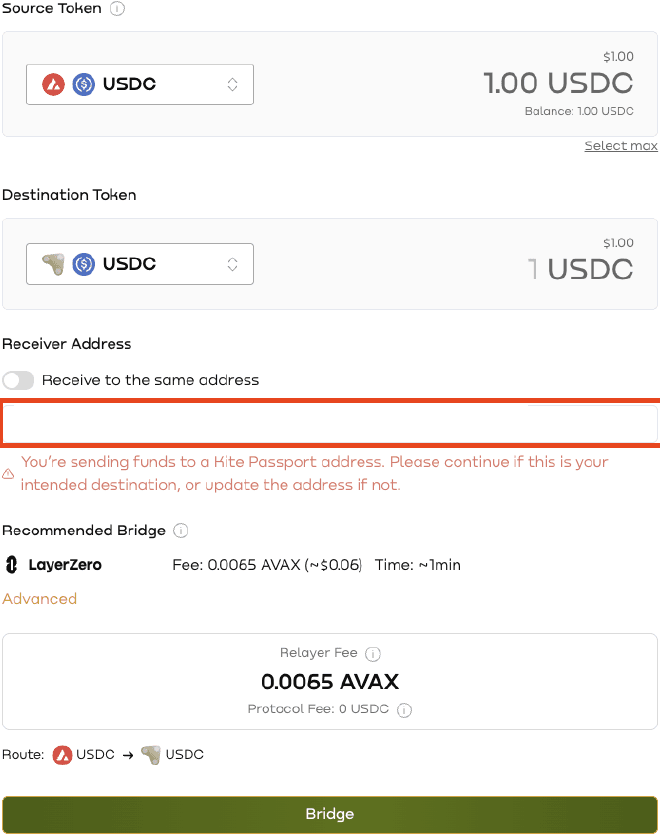
- Confirm both transaction popups.
- Wait about 1 minute for the bridge to complete.
- Your balance will update automatically on the Passport dashboard.
Transfer from Your Own Wallet on Kite
If you already have funds in your own wallet on Kite chain, you can transfer them to your Passport wallet.
Steps:
- Copy your Passport wallet address from the Crypto tab in the dashboard.
- Open your external wallet (such as MetaMask). Click Send, choose USDC.e on Kite chain, and paste your Passport wallet address.
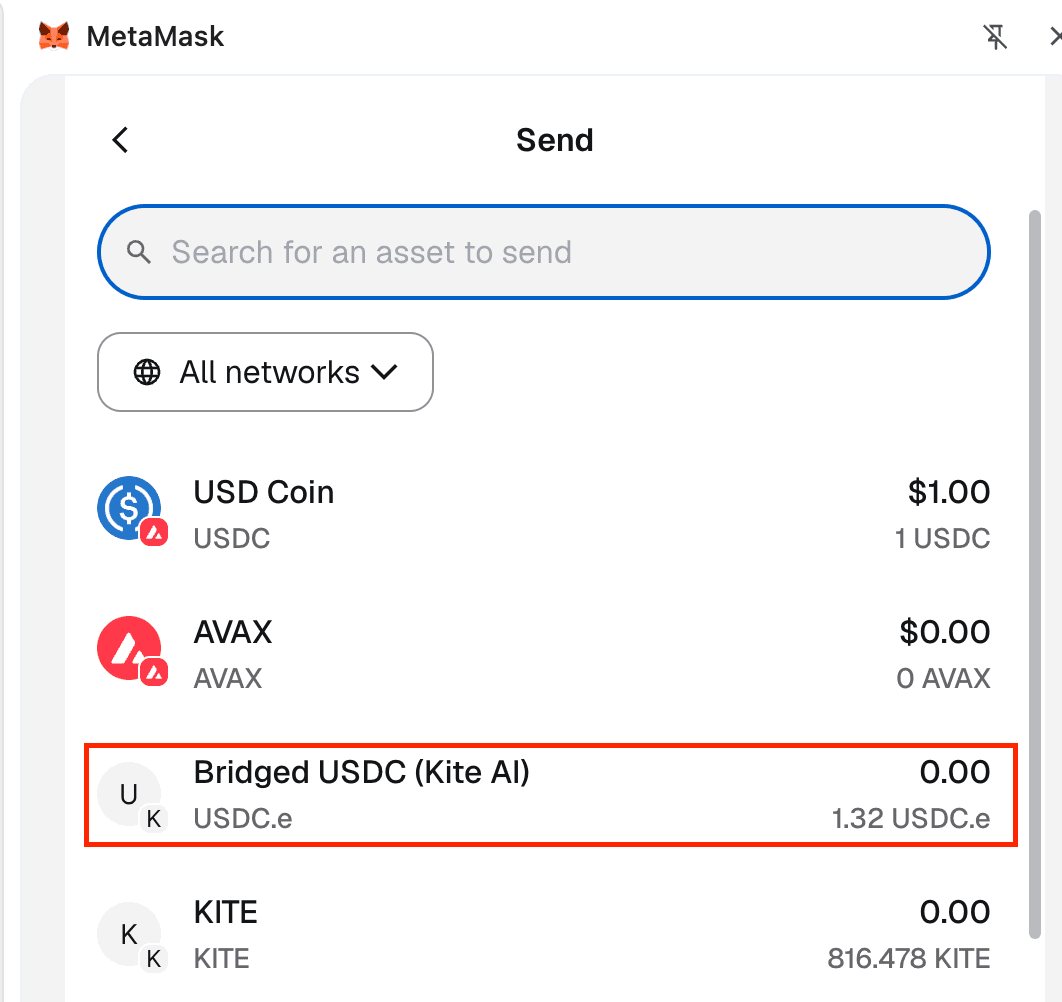
- Send the USDC.e to your Passport wallet address.
- Confirm the transfer has landed on the dashboard.
Note: You will need KITE tokens for gas fees on Kite chain to execute the transfer.
Checking Your Balance
You can check your Passport wallet balance at any time:
- Dashboard — the balance is shown on the main screen
- CLI — run
kpass wallet balance(use--cachedfor the 30-second cached balance) - Ask your agent — it can check the balance for you
You can also view your deposit addresses with kpass wallet address --chain <base|polygon|avalanche|tempo|solana|robinhood|arc>.
Troubleshooting
Balance not showing after funding
- Bought with card — settlement can take some time depending on the payment provider and method. Check back on the dashboard.
- Direct deposit — make sure you sent the correct stablecoin for that chain to the address.
- Kite Bridge — wait for the bridge transaction to confirm, then check the dashboard.